
Dental Charting Software: What to Look for Before You Commit
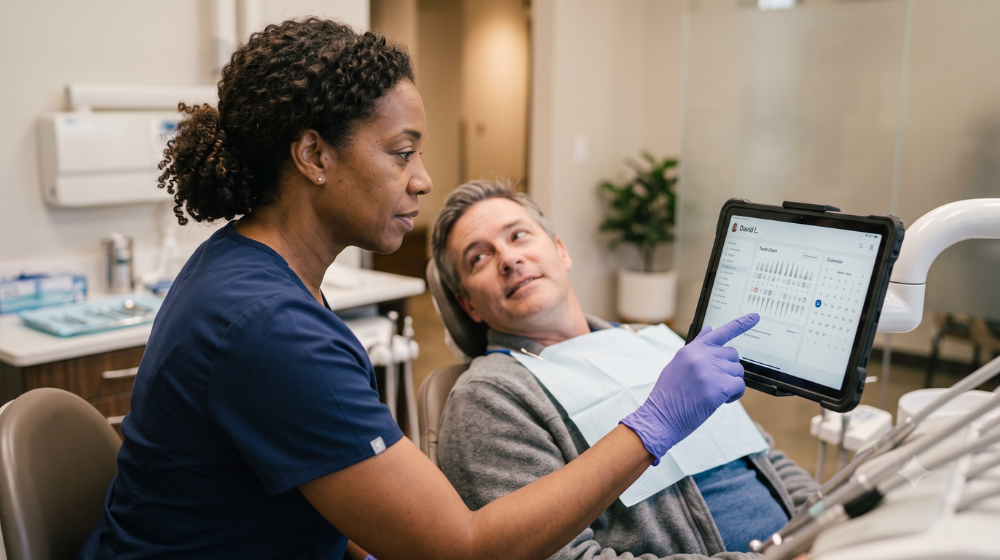
Dental charting software shapes every clinical encounter in your practice. Get it right and your hygienists move faster, your records stay cleaner, and your schedule runs with fewer interruptions. Get it wrong and you're correcting entries, hunting for missing data, and watching chair time evaporate. This guide is for dentists, office managers, and practice owners evaluating their options and trying to separate genuine capability from marketing copy.
Why Your Charting Software Sets the Pace for the Entire Appointment
Charting isn't a standalone task. It's woven into every clinical workflow — from the moment a patient sits down to the moment a treatment plan is presented. When charting is fast and intuitive, hygienists can focus on the patient instead of the screen. When it's clunky, every appointment runs slightly long, and slightly long appointments compound.
Think about a practice running eight hygiene appointments per day. If the charting workflow adds three minutes of friction per visit, that's twenty-four minutes of lost production — before accounting for the downstream effect on scheduling. Software speed isn't a luxury feature. It's a production variable.
The best dental charting software is built around clinical speed without sacrificing completeness. That means one-click entry, configurable templates, and tooth chart interfaces that mirror how clinicians actually think.
Fewer Transcription Errors Mean Fewer Clinical and Billing Headaches
Manual charting — or software that requires multi-step entry — introduces transcription errors. A tooth number entered wrong, a pocket depth missed, a perio finding logged to the wrong surface. These aren't just clinical concerns. They affect billing accuracy, insurance claims, and your exposure in a dispute.
Digital charting software with built-in validation logic can catch common entry errors before they're saved. Some platforms flag inconsistent findings — for example, a bleeding point recorded without a corresponding probe depth — before the record is closed. That kind of real-time feedback is the difference between catching a mistake during the appointment and discovering it during a chart audit.
Voice-to-chart functionality is also worth evaluating. Hands-free entry reduces glove contamination of keyboards and lets the hygienist maintain eye contact with the patient while calling out findings. Not every implementation of this feature is equal, so ask for a live demo before assuming it works the way the brochure suggests.
Hygienist Autonomy Starts with Software That Doesn't Require a Second Set of Hands
A hygienist who can chart, document, and close an appointment record independently — without waiting on the dentist or front desk to complete steps — is a hygienist who runs a tighter schedule. Software that creates handoff dependencies at the chart level is a hidden bottleneck many practices don't recognize until they look closely at their timing data.
Look for systems that give hygienists appropriate role-based permissions without exposing functions outside their scope. The goal is a clear, uncluttered interface for hygiene workflows — perio charting, X-ray linking, medical history review, clinical notes — that doesn't require navigating screens designed for comprehensive exams.
Strong periodontal charting is a specific sub-requirement worth scrutinizing. Six-point probing, furcation recording, mobility scores, bleeding on probing — these should be enterable quickly, ideally with keyboard shortcuts or number-pad input, and auto-saved incrementally so a system interruption doesn't wipe the record.
Imaging Integration That Eliminates the Tab-Switching Penalty
A common friction point in dental charting workflows is the gap between the charting interface and the imaging system. When radiographs live in a separate program — or worse, require a separate login — the clinical team loses time and context every time they need to cross-reference an image with a chart entry.
Native imaging integration, or a tight API connection with a leading imaging platform, means the X-ray appears alongside the chart without a workflow interruption. Some systems go further and link specific images to specific tooth entries, so a clinician pulling up tooth 19's chart history sees the associated bitewing without searching.
This matters even more for practices using cone beam CT or intraoral cameras. If those images are siloed, they're underused. When they're embedded in the chart, they become part of the clinical conversation — with the patient and with referring providers.
Before you evaluate any charting platform, ask your imaging vendor which software integrations are officially supported versus which ones are workarounds. The distinction matters operationally.
Mobile Access That Doesn't Compromise the Chart
Cloud-based charting software opens the door to mobile access — reviewing charts before morning huddle, checking a patient record from a second location, or pulling up clinical notes during a curbside consultation. But mobile access is only useful if it's genuinely functional, not a stripped-down view that excludes the data you actually need.
Before selecting a platform based on its mobile capability, test these factors:
-
Full record access: Can you see perio charts, images, clinical notes, and treatment history — not just demographics?
-
Entry capability: Can a provider document findings from a tablet chairside, or is mobile view-only?
-
Sync reliability: Do entries made on a tablet sync immediately to the main record, with no refresh lag?
-
Offline behavior: If the connection drops mid-appointment, does the system queue entries and sync when reconnected, or does it lose data?
Practices with multiple operatories or satellite locations have the most to gain from well-executed mobile charting. Practices with a single location still benefit from the flexibility — especially during emergencies or off-hours consultations.
How Charting Connects to Scheduling, Treatment Planning, and Billing
Charting software that operates in isolation creates reconciliation work at every handoff. A perio finding that doesn't flow into a treatment recommendation. A completed procedure that requires manual entry into the billing module. A patient recalled for a follow-up with no clinical notes attached to the appointment.
Integration across charting, scheduling, treatment planning, and billing isn't a premium feature — it's a baseline requirement for a practice that wants to run efficiently. The chart should be the record of truth that every other workflow draws from, not one more data source that needs to be manually reconciled with others.
When evaluating any platform, map your current handoffs. Where does data get re-entered? Where do staff members have to leave one screen and open another to complete a task? Each of those friction points is a place where integrated software can return time and reduce errors.
What to Ask for in a Demo (So You See What Matters)
A vendor demo is a controlled environment. You'll see the features that photograph well. To see the features that matter operationally, you need to direct the demonstration toward specific scenarios.
A demo that reveals real clinical workflow should include these scenarios:
-
Full hygiene appointment simulation: From patient check-in through perio charting, X-ray review, clinical note entry, and appointment close — timed.
-
Error handling: Intentionally enter an inconsistent finding and watch how the system responds.
-
Role-based access test: Log in as a hygienist and confirm which functions are available versus restricted.
-
Imaging handoff: Pull up a radiograph mid-chart and confirm how many clicks it takes.
-
Mobile access from a tablet: Chart a finding on a tablet and confirm it syncs immediately to the desktop view.
Ask how long implementation typically takes and what the onboarding process looks like for clinical staff specifically. Implementation friction is a real cost, and the answer to this question tells you a lot about how the vendor thinks about the clinical user.
One Platform Worth Evaluating at This Stage
If your research has surfaced Curve Dental as an option, it's worth understanding what distinguishes it at the charting level specifically. Curve's cloud-based dental practice management system integrates charting, perio recording, imaging, scheduling, and billing in a single browser-based platform — no local server required. The hygiene workflow is designed for independent operation, and the mobile experience reflects the full record rather than a summarized view.
For practices evaluating a switch from their current dental software, Curve offers structured data migration support to minimize the disruption of moving clinical records. That's a meaningful differentiator if your current chart history is extensive.
Making the Decision That Lasts
Dental software decisions tend to last a long time. The switching costs — data migration, retraining, workflow disruption — mean most practices stay on a platform longer than they expected to when they signed up. That's not an argument for paralysis. It's an argument for evaluating carefully before you commit.
Prioritize clinical speed, integration depth, and a mobile experience that actually holds up under real conditions. Verify that perio charting meets your hygiene team's workflow rather than working around it. And put every platform through a scenario-based demo before you let a sales presentation be the deciding factor.
The right charting software won't just reduce errors. It will change how your clinical team experiences every single appointment.
*This content was partially generated by artificial intelligence. It may contain errors or inaccuracies, and should not be relied upon as a substitute for professional advice.

Curve Dental
The team behind Curve Dental serves up content across all things dentistry to help you make informed decisions for your practice(s).