
What Faster, More Accurate Dental Charting Actually Requires
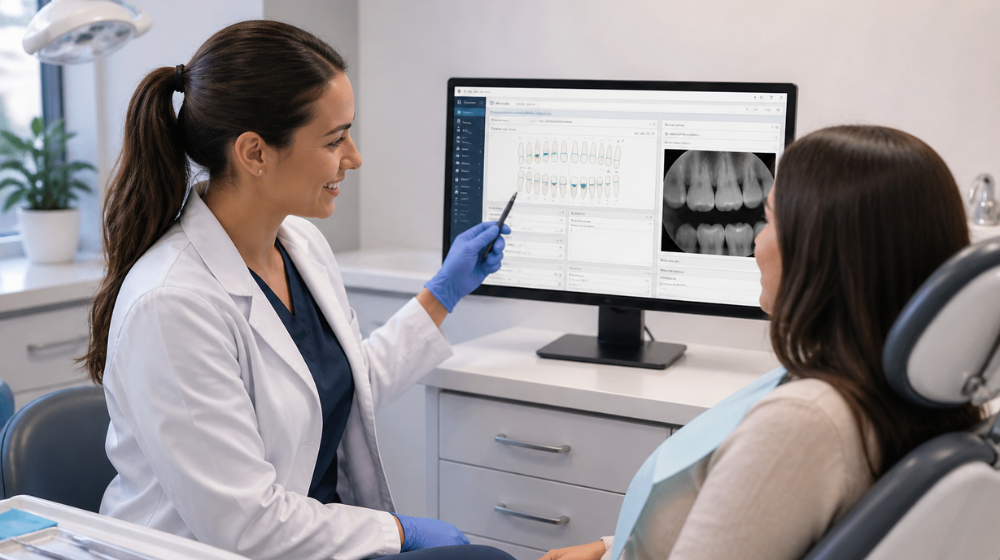
Charting is a fundamental part of clinical care that keeps everything running smoothly, but it can become surprisingly problematic when it doesn’t go well.
Many of us manage this daily, and doing it effectively helps both patients and providers feel more at ease. Even on busy days, documentation can take longer than expected, often running over the appointment time or needing follow-up.
Why Charting Still Slows Down Many Practices
In many practices, charting is seen as a separate task: completed during the visit, wrapped up afterward, or fixed later.
That creates a familiar routine:
-
Extra clicks and screen switching during exams
-
Imaging that lives outside the chart
-
Notes completed at the end of the day
-
Re-entry of information across systems
The issue is often not about effort, but about connection. When charting, imaging, and documentation are each handled separately, it can be challenging to keep everything moving efficiently and accurately. Providers have to remember, double-check, and re-enter information, which slows things down and can lead to inconsistencies. By simplifying these processes, we can save time and improve accuracy, making the process smoother and more reliable.
What a Modern Charting Process Needs to Function Properly
Faster charting isn’t just about reducing clicks; it depends on how well the system is designed and how smoothly it operates, making the process easier and more efficient.
Modern dental charting software is designed around a few key needs:
-
A Single Clinical Setting: Charting, imaging, and patient records should live in the same place.
-
Real-Time Data Access: Information should update instantly during the appointment, without waiting or delays.
-
Minimal Movement Between Screens: Providers should be able to document, view images, and access patient history without leaving the primary screen.
-
Structured, Consistent Documentation: Clinical notes and findings should follow a consistent format without requiring manual cleanup later.
Without these essential parts, charting can feel more like an uphill effort than coordinated support. This can lead to unpredictable speed and hit-or-miss accuracy.
How Speed Improves When the System Is Designed Correctly
When a system meets modern dental charting needs, speed naturally becomes a helpful result, not added pressure for the team.
For example, well-designed systems support:
-
Reduced Click Paths through visual, intuitive charting screens
-
Auto-Fill of Procedures to stop repeating entries for multi-step treatments
-
Same-Software Access to Patient Data so providers don’t need to move away from the chart
In these systems, practices usually find they can chart much faster because the system removes common obstacles.
Why Imaging Integration Changes More Than Diagnostics
One of the most overlooked barriers in charting workflows is imaging.
When imaging is separate:
-
Providers pause to open another system
-
Findings are discussed without visual context
-
Errors are more common
-
Notes and images are mentally connected, but not system-connected
When imaging is fully added to the chart:
-
Radiographs and photos are instantly accessible
-
Images can be adjusted and annotated chairside
-
Clinical findings appear in context, not in isolation
This improves efficiency and how diagnoses are communicated and understood.
Where Ambient AI Fits Into Charting Workflows
AI can change how documentation happens when a dental practice management system supports it.
Ambient AI introduces a different model:
-
Clinical conversations are captured in real time
-
Notes are structured automatically (such as SOAP format)
-
Documentation is created during the appointment
But this only works in systems where:
-
Data is unified and accessible in real time
-
Charting and documentation are part of the same steps
-
The AI has full visibility into the patient record
Otherwise, AI becomes another disconnected tool adding complexity instead of removing it.
Why Hygiene Processes Often Reveal System Limitations First
Hygiene is where charting inefficiencies are most obvious.
Perio charting, in particular, needs:
-
Fast, accurate data entry
-
Easy comparison of historical measurements
-
Clear communication of findings to patients
When systems are broken up, hygiene teams often compensate by:
-
Slowing down to ensure accuracy
-
Re-checking and re-entering measurements
-
Recruiting an additional staff member to call out and record perio charting measurements
-
Completing documentation after the appointment
In a fully combined system, those steps are reduced or removed because:
-
Perio data is captured directly within the patient record
-
Measurements can be tracked and compared instantly
-
Hygienists are able to complete perio charting without a dental assistant
-
Documentation lines up with the clinical processes in real time
What Changes When Charting Is Fully Combined
When charting, imaging, and documentation operate as a single system, the process changes:
-
Documentation happens during care
-
Imaging supports diagnosis in real time
-
Clinical notes are documented in real time and set up for approval
-
Patient records remain consistent and up to date
The result isn’t just faster charting. It’s a more reliable clinical process that reduces rework, improves accuracy, and supports better patient communication.
Where Platforms Like Curve Fit Into This Model
Platforms like Curve Dental’s are designed around these needs.
In a unified environment:
-
Charting, imaging, and patient data exist in a single process
-
Clinical tools are accessible without leaving the patient screen
-
Imaging is built directly into the chart
-
Ambient AI capabilities, such as real-time note generation and voice-driven perio charting, operate within the clinical workflow
This arrangement supports documentation as part of care delivery.
A Practical Next Step: Evaluate Your Current Charting Process
If charting feels slow or inconsistent, it’s often a sign that the process and technology are straining the team.
A simple way to evaluate this is to review a single patient visit:
-
How many systems are involved in charting and imaging?
-
Where does information need to be re-entered or verified?
-
Are notes completed during the visit or after?
The answers typically reveal whether your system supports real-time, combined processes or creates behind-the-scenes headaches. Understanding that difference determines how much faster and more accurate charting can become.
If you’re evaluating your current charting process, the next step is to book a personalized demo. You will clearly see where performance is limited by comparing how your system handles these processes with what Curve's fully unified system is designed to support.

Victoria L.
Victoria has spent over a decade in the dental industry and can’t imagine working anywhere else. Her passion for delivering exceptional patient service now drives her work with dental practices. As a Product Specialist at Curve Dental, Victoria combines her love for dentistry with forward-thinking technology to help practices operate more efficiently and enhance the patient experience.